


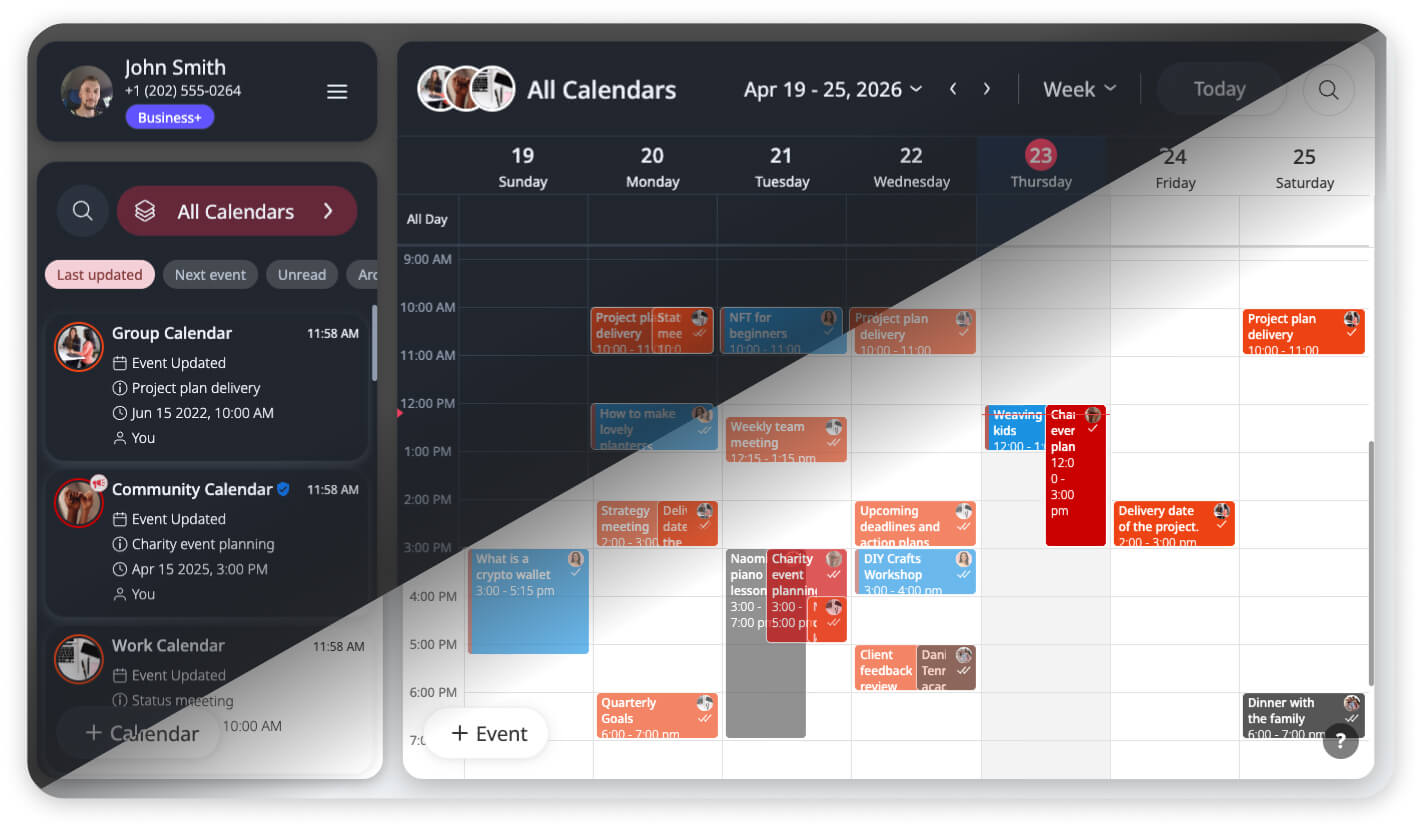
Scheduling in Every Light
Managing a community, a business, or a busy family doesn’t happen strictly between 9:00 AM and 5:00 PM. Often, the most critical coordination happens at the bookends of the day – reviewing tomorrow’s agenda late at night or checking the morning’s first appointments before the sun is up.
In these moments, a high-brightness white interface can be more than just a distraction; it can cause significant eye strain and make it harder to focus on complex schedules. Productivity isn’t just about the tools you use, but the environment you work in. GroupCal is evolving to ensure your visual comfort matches your coordination needs.
Completing the Experience: From Mobile to Web
GroupCal mobile users on iOS and Android have enjoyed the comfort of Dark Mode for some time. We recognize that for many of our users, the web app is where the heavy lifting of schedule management happens.
We are excited to announce that we have expanded this functionality to the GroupCal Web App. You now have the power to choose between Light, Dark, or System themes directly from your browser. This update brings the web interface into alignment with our mobile applications, providing a consistent professional experience across all your devices.
The Ergonomic Advantage: More Than Just an Aesthetic
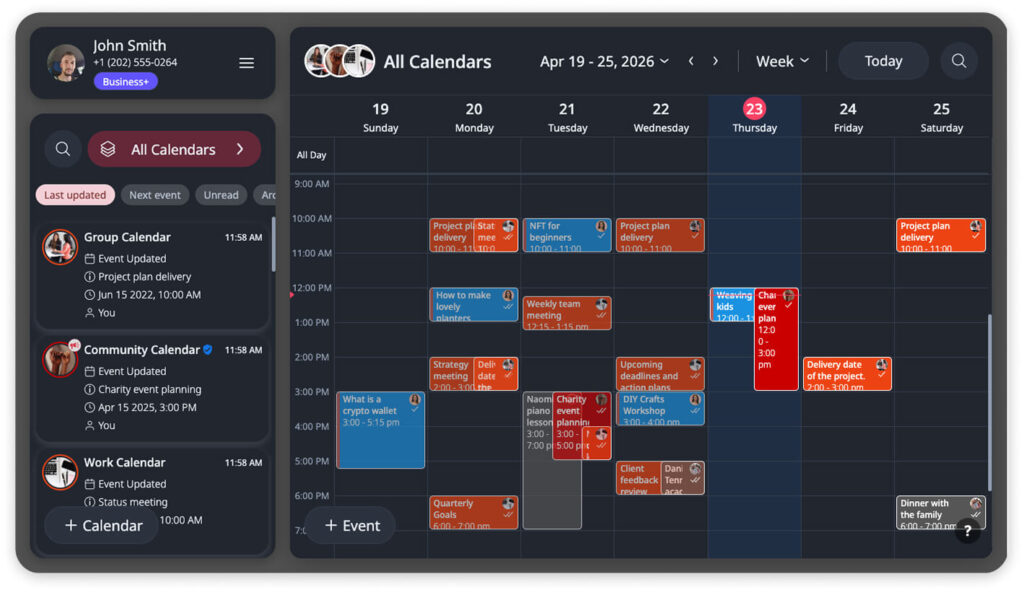
While Dark Mode is often discussed as a stylistic preference, for power users, it is a functional tool.
- Reduced Eye Strain: By reducing blue light exposure and screen glare, Dark Mode creates a more comfortable viewing experience during late-night planning or early-morning reviews.
- Enhanced Visual Hierarchy: GroupCal’s signature features – color-coded members and calendar photos – are designed for instant recognition. Against a dark, high-contrast background, these colors and images become even more distinct. This improved contrast helps you scan a busy calendar and identify who owns an event even faster than in Light Mode.
Independent Control for Every Workspace
A core principle of GroupCal is synchronization. While your event data, members, and permissions sync instantly across all devices, we have taken a different approach with your visual theme.
Theme settings are device-specific.
We believe your visual needs change depending on your physical environment. You may prefer a crisp Light Mode on your high-resolution office monitor during the day, while opting for Dark Mode on your laptop during evening hours. GroupCal gives you the freedom to set an independent theme for your web browser and your mobile device, ensuring your workspace always fits your current context.
How to Activate the New Theme
GroupCal is designed to be intelligent out-of-the-box. By default, the app uses the System theme setting. This means GroupCal will automatically detect and match your browser or operating system’s current preference. If your device is already in Dark Mode, GroupCal will “wake up” dark automatically.
If you wish to override the system default and force a specific theme:
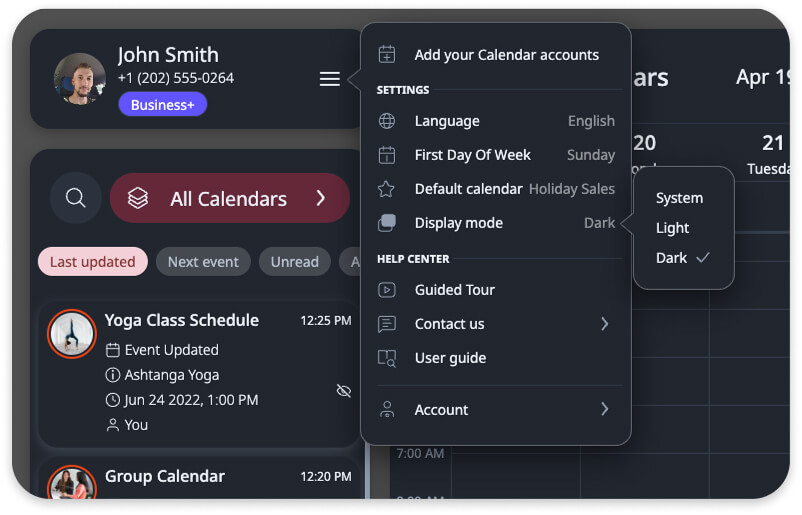
- Click on the Menu icon in the Account section.
- Click on the Display mode option.
- Choose between System, Light, or Dark.
For a visual walkthrough of these settings, you can refer to our updated User Guide: The Menu.
Your Workspace, Your Choice
Dark Mode is more than a visual update; it is a commitment to providing a professional, ergonomic workspace that adapts to you. By giving you control over your visual environment, GroupCal helps you stay focused on what matters most: keeping your group in sync.
Ready to see your schedule in a new light?
Log in to the GroupCal Web App today to explore the new theme options.