


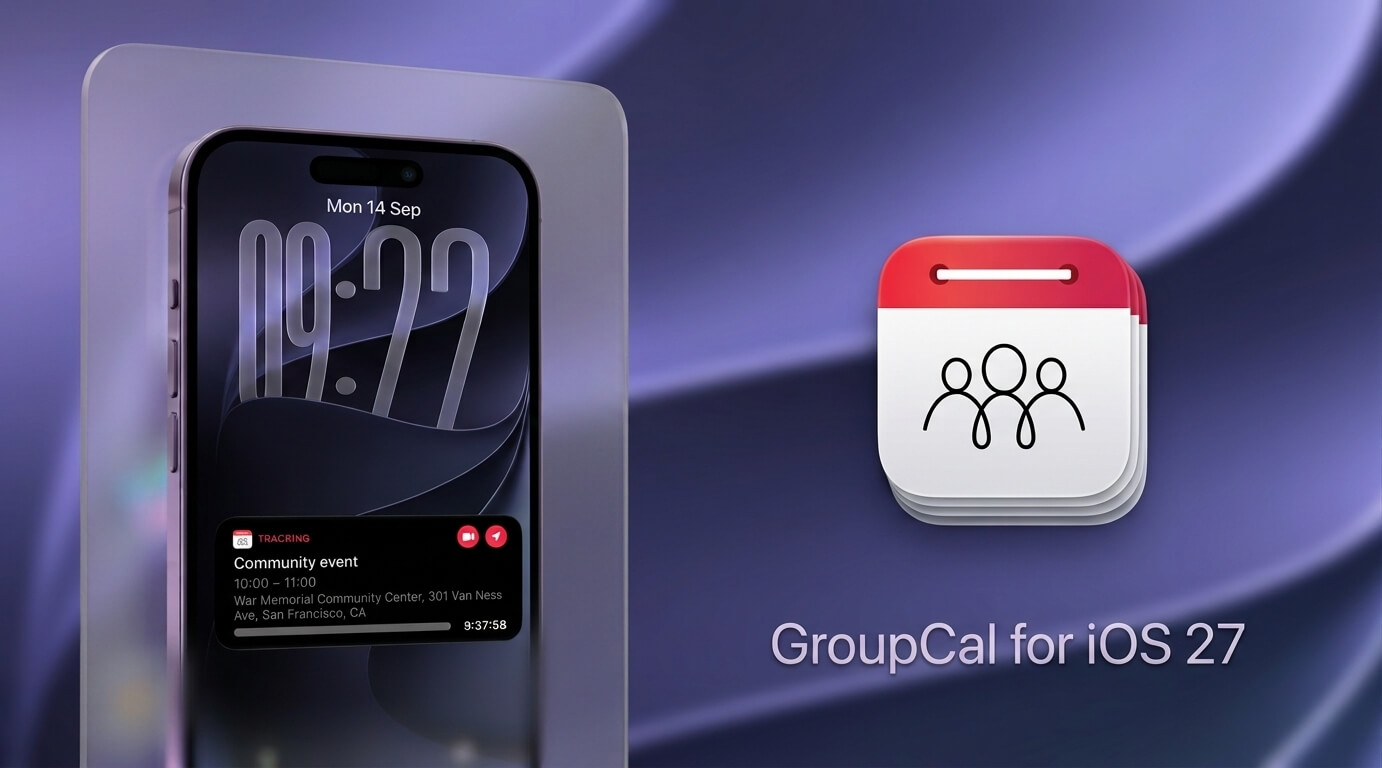
At a Glance: What’s New in GroupCal for iOS 27?
- Live Activities & Dynamic Island – “Track Live”: Turn shared event reminders into real-time countdowns on the Lock Screen and Dynamic Island, with one-tap actions for video calls and navigation.
- Apple Intelligence & App Intents: Create events in specific shared calendars using Siri, Spotlight, App Shortcuts, and Shortcuts, and quickly retrieve relevant shared schedule information.
- Liquid Glass for Shared Calendars: A refined iOS 27 interface designed for calendar readability, visual depth, event colors, and effortless navigation across multiple shared calendars.
- Deeper Apple Ecosystem Integration: Interactive Widgets, Controls, Lock Screen Widgets, rich Notifications, Apple Watch, Siri, Spotlight, and Shortcuts keep shared schedules accessible throughout the system.
The Next Generation of Group Coordination
Coordinating schedules across teams, communities, and busy families is notoriously difficult when apps remain passive. Traditionally, shared calendars require you to unlock your phone, open an app, navigate across multiple shared lists, and manually hunt down a meeting link or location address.
When you are rushing between commitments, that context switching creates unnecessary friction. Whether you are leading a client meeting, coordinating volunteer shifts, or arriving at a family gathering, you don’t need another calendar to manage – you need critical event details surfaced automatically at the exact moment they matter.
That need extends well beyond families and teams. GroupCal is also used by organizations and communities to coordinate shared schedules at scale – including the Cayman Islands Government’s community wellness initiative, where GroupCal powered a live public calendar across multiple islands.
GroupCal has always been built around real-time coordination – shared calendars that update instantly, keep every member informed, and bring multiple schedules together in one place. With iOS 27, that experience extends even further beyond the app. Live Activities, Apple Intelligence, and App Intents bring shared events and relevant actions directly into the Lock Screen, Dynamic Island, Siri, Spotlight, and Shortcuts, making an already connected shared calendar experience even more immediate, intelligent, and deeply integrated into the device.
GroupCal Live Activities for iOS 27: Introducing “Track Live”
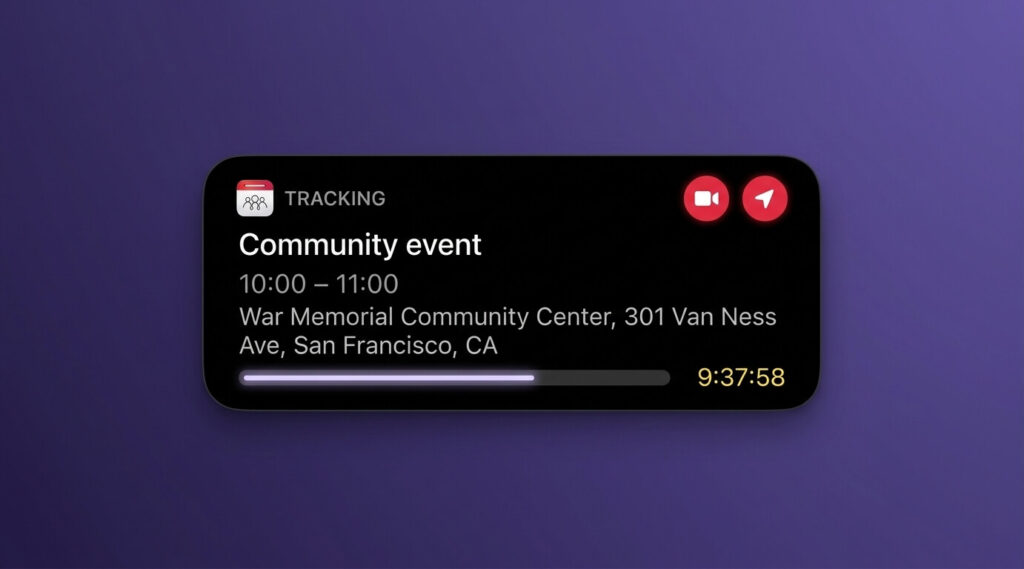
We’ve all experienced the last-minute scramble: an alert sounds five minutes before an event starts, forcing you to unlock your device, open your calendar, tap the event, and search through notes for a video link or address.
GroupCal’s new Track Live feature eliminates that entire sequence.
How It Works
When an upcoming event reminder arrives on your Lock Screen:
- Long-press the notification alert to expand its interactive menu.
- Tap the “Track Live” action button.
- GroupCal immediately promotes the event to a persistent Live Activity on your Lock Screen and an a persistent Live Activity on your Lock Screen and in the Dynamic Island.
Real-Time Countdowns and One-Tap Execution
Once active, Track Live provides a continuous countdown to start time, accompanied by your calendar’s visual color and event title. More importantly, it surfaces two essential action buttons directly on your display:
- One-Tap Video Conferences: Launch directly into Zoom, Microsoft Teams, or Google Meet without opening the calendar or searching invite notes.
- Instant Turn-by-Turn Navigation: Tap once to launch directions in Apple Maps, Google Maps, or Waze based on the event’s saved address.
Whether you are joining a remote team sync or driving to a community event, Track Live ensures that your next step is actionable straight from your Lock Screen.
Apple Intelligence & App Intents in GroupCal: Siri, Spotlight and Shortcuts
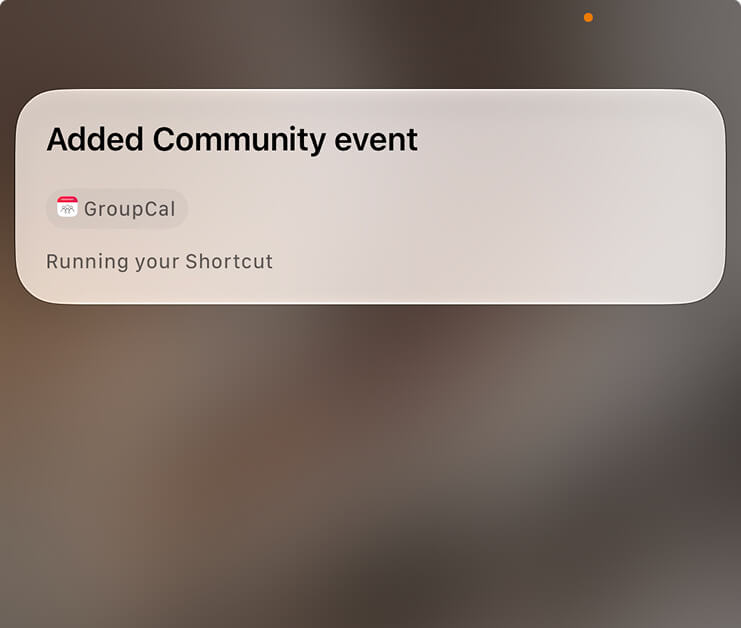
Voice assistants and search tools are only as useful as their ability to handle real-world group context. With iOS 27, GroupCal expands its App Intents integration, making shared calendar actions and content more deeply available across Siri, Spotlight, Shortcuts, and Apple Intelligence experiences. Users can create shared events naturally, choose the appropriate GroupCal calendar, and retrieve relevant schedule information without having to navigate through the app manually.
Natural, Conversational Scheduling
You no longer need to open the app to add events to shared spaces. Speak naturally to Siri or type into Spotlight to schedule events into specific calendars instantly:
- “Add an event in GroupCal: Dinner next Friday at 7 PM.”
- “Schedule a meeting in GroupCal: Project Review on Monday at 10 AM.”
GroupCal interprets natural-language requests for dates, times, and calendar targets, then creates the event in the selected shared calendar and syncs it with members in real time.
Contextual Schedule Retrieval
App Intents work in reverse as well, giving you immediate insight into group activities:
- Ask Siri: “What’s next in GroupCal?”
- Ask for context: “What’s my schedule for today in GroupCal?”
- Type a project or club name into Spotlight Search to instantly surface upcoming shared events without launching the app.
- Build custom automations in the Shortcuts app that trigger GroupCal actions based on time, location, or Focus modes.
GroupCal’s Liquid Glass Design for iOS 2
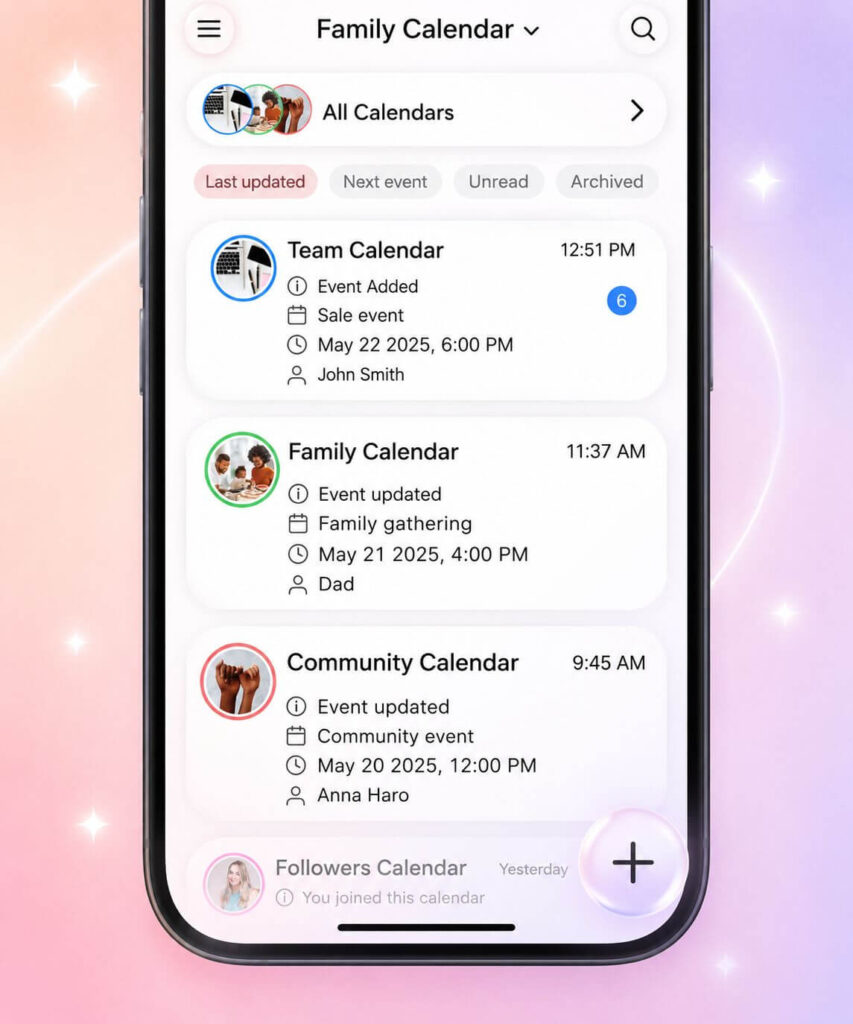
GroupCal was an early adopter of Apple’s Liquid Glass aesthetic. For iOS 27, we conducted a component-by-component audit across the entire app, refining every element so visual depth never compromises calendar readability. This focus on visual clarity builds on GroupCal features such as Cards View, which provides a more visual way to browse schedules, and Event Cover Images, which help important events stand out at a glance.
- Calibrated Refraction: Adjusted blur radius and opacity so ambient wallpaper colors shine through without hurting text clarity across dense day and week views.
- Precise Edge Highlights: Added subtle, light-reactive borders to cleanly separate overlapping calendar events and shared lists without visual clutter.
- Optimized Contrast: Re-indexed typography and member color-coding to ensure accessible contrast in both Light and Dark modes.
- Tactile Micro-Interactions: Paired fluid native animations with haptic feedback to make navigating multi-calendar schedules feel natural and responsive.
iOS 27 Widgets, Controls, Notifications and Apple Watch
GroupCal’s iOS 27 update strengthens its integration across all Apple touchpoints, ensuring that collaborative schedules remain accessible across your daily routine:
| Platform / Tool | Capability | Real-World Benefit |
| Interactive Widgets | Browse upcoming shared events and interact with calendars directly from the Home Screen. | Keep family, team, and community schedules visible without opening GroupCal. |
| Lock Screen Widgets | Surface important shared calendar information directly on the Lock Screen. | See what’s coming next at a glance. |
| Controls | Access key GroupCal actions from system controls. | Get to shared scheduling actions faster. |
| Apple Watch | Shared calendar information, complications, and wrist notifications. | Follow schedule changes and upcoming events on the go. |
| Rich Notifications | Expandable alerts for shared event changes and actions. | Respond to important calendar updates without opening the app. |
Frequently Asked Questions
What iOS 27 features does GroupCal support?
GroupCal for iOS 27 supports Live Activities on the Lock Screen and Dynamic Island, Apple Intelligence experiences, App Intents for Siri, Spotlight, App Shortcuts and Shortcuts, Liquid Glass design, Interactive Widgets, Controls, Lock Screen Widgets, rich Notifications, and Apple Watch integration.
How do I activate “Track Live” on my Lock Screen?
When you receive an event reminder notification from GroupCal, long-press the notification and tap the “Track Live” button. This promotes the event to a persistent Live Activity on your Lock Screen and in the Dynamic Island with a live countdown and one-tap action buttons.
Which action buttons are available in Track Live?
Track Live surfaces two direct actions based on the event details: a Video Call button (supporting Zoom, Microsoft Teams, and Google Meet) and a Navigation button (supporting Apple Maps, Google Maps, and Waze).
Can I add events to a shared GroupCal calendar with Siri?
Yes. Through Apple Intelligence App Intents, you can specify the target calendar by name (e.g., “Add an event in GroupCal to the Soccer Team calendar”), and the event will automatically sync with all members of that specific group.
Is the iOS 27 update free for existing GroupCal users?
Yes. All native iOS 27 enhancements, including Track Live, App Intents, and the Liquid Glass design refinements, are available in the latest GroupCal update on the App Store.
Seamless Coordination for Every Group
Effective coordination isn’t about spending more time managing software; it’s about eliminating the delays and miscommunications that slow groups down.
With Live Activities, Apple Intelligence, App Intents, Dynamic Island, and a refined Liquid Glass interface, GroupCal for iOS 27 brings shared scheduling deeper into the Apple ecosystem. Families, teams, organizations, and communities can spend less time managing logistics and more time staying connected and in sync.
Get the Update
GroupCal for iOS 27 is available now on the App Store.
- Existing Users: Update your app via the App Store to unlock the new iOS 27 features immediately.
- New Users: Download GroupCal on the App Store to experience real-time shared scheduling.