



Shared Calendar: The Benefits of Collaborative Scheduling
Background
Managing schedules has become a collective challenge. While traditional digital calendars were designed to help individuals plan their personal time, modern teams, businesses, and communities operate in groups. Relying on individual calendars for collaborative planning leads to endless email chains, missed updates, and double-bookings.
This is where collaborative scheduling comes in. In this guide, we will explore the fundamental differences between traditional and shared calendars, outline the essential features of a collaborative scheduling platform, and show you how to choose the right solution for your organization.
What is a shared calendar?
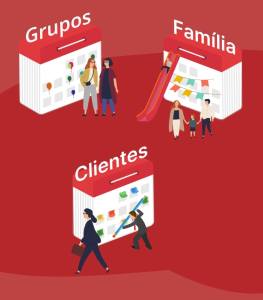
A shared calendar allows a group of people to schedule and manage events collaboratively. The calendar is shared among a predetermined member list, and depending on the settings of the calendar, some or all members can add, edit or delete events. This feature makes it easier for the calendar members to keep track of the shared schedules and plan accordingly. Additionally, an online shared calendar has an automatic sync function, which means that all members see changes in real-time, ensuring that everyone is up-to-date. Shared calendars are particularly useful for teams, families, businesses and in general – groups of common interest, with a shared schedule.
Understanding the distinction between a shared calendar and the shared calendar app which presents it, is also important. In a calendar app, there might be multiple shared calendars, each managing the schedules of different topics or groups. Therefore, the app needs to provide its users with the flexibility and convenience to control and manage these shared calendars effectively. The app should allow users to easily view and access all their shared calendars in one place and enable them to edit, add or delete events with ease. Additionally, features like reminders, notifications and syncing across different devices are essential for ensuring that all users stay up-to-date with the latest changes to the shared calendars.
A shared calendar is similar to a group chat in that it is a communication tool that enables group members to share information with each other in real-time. Just as a group chat app allows users to send messages, images, and files to a group of people, a shared calendar allows users to share events, tasks, and schedules with the entire group. Moreover, both tools are designed to be collaborative, and all members have equal access to the information shared. In essence, a shared calendar is like a group chat for scheduling and organizing events.
Traditional vs. Collaborative Scheduling: The Core Differences
The fundamental difference between traditional calendars and shared calendars is their focus. Traditional calendars are designed to manage the schedule of a single person, relying on manual “meeting invites” to coordinate. Shared calendars prioritize the group, allowing users to join a unified space where all updates sync automatically in real-time.
For organizations, communities, or busy families, transitioning to a shared calendar is the only way to eliminate administrative friction.
A Quick Comparison: Traditional vs. Collaborative Scheduling
| Scheduling Challenge | Traditional Calendars (Google/Outlook/Apple) | Group-First Shared Calendars (GroupCal) |
| The Core Focus | Managing an individual’s personal daily schedule. | Coordinating a group, team, or community’s schedule. |
| How Events are Shared | Sending individual, manual meeting invites via email. | One-time group setup; events sync automatically to all members. |
| Account Requirements | High Friction: Recipients must have a matching account (e.g., Gmail) to join. | Zero Friction: Anyone can join via a single, universal link on any device. |
| Updates & Notifications | Passive: Updates sync slowly; members are rarely notified of schedule changes in real-time. | Active: Instant, chat-like push notifications are sent to all members for every update. |
| Viewing Multiple Schedules | Sifting through separate, cluttered calendar sidebars. | Unified Master View of all schedules in a single screen. |
| Visual Customization | Minimal: Utilitarian layout with generic designs and limited color-coding options. | Premium: Personalize your calendar with custom colors, descriptions, and event-specific cover images. |
| Web Embedding | Poor: Rigid monthly grids that display competitor branding and clutter your website’s design. | Advanced: Embed your schedule as a sleek, native-looking grid or highly visual card-based feed. |
The 3 Pillars of an Effective Shared Calendar Platform
Pillar 1: Frictionless Access & Real-Time Synchronization
Predetermined calendar members
One of the primary advantages of using a shared calendar is the ability to grant access to a group of users who can view and modify events. In a shared calendar application, members can be invited to join the calendar or share a link for others to access it. Once a member is added, they can immediately view and modify events in real-time, ensuring that everyone is aware of the latest changes. Using a shared calendar eliminates the need to individually notify others about each event or coordinate multiple emails or messages to schedule events, as all members receive automatic real-time updates by being a part of the shared calendar.
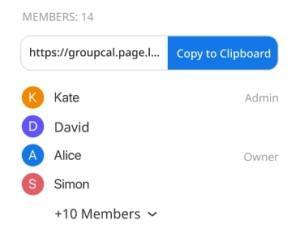
With GroupCal, users can easily send text message invitations or share links to join the calendar, making collaboration and coordination a breeze.
Real-time updates
Real-time updates are one of the most critical aspects of a shared calendar. This means that any modifications made to the calendar are instantly communicated to all members. This immediate notification ensures that everyone is kept in the loop and can quickly address any conflicts or changes that may arise. By providing real-time updates, a shared calendar streamlines communication, enhances collaboration, and minimizes the risk of miscommunication or scheduling errors. Consequently, this feature enables groups to work more efficiently and effectively together, saving time and ensuring that everyone is on the same page.
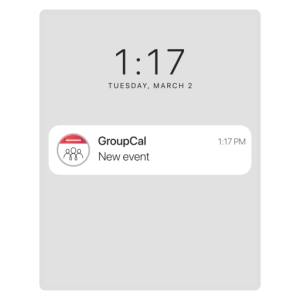
GroupCal offers full support for real-time updates. It features a sophisticated sync mechanism that keeps all members and devices up-to-date with the latest events. Whenever a new event is added, the update is immediately communicated to all members’ devices. Moreover, GroupCal leverages the notification mechanism available on both mobile devices and desktops to ensure that members are promptly notified of any changes.
Cross-platform and support for mobile
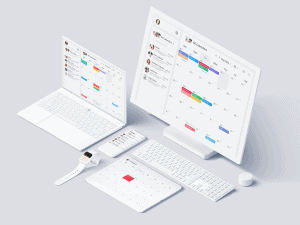
In our fast-paced modern world, it’s essential to be able to access and manage calendars from anywhere, at any time. This means having a shared calendar app that is cross-platform and accessible from multiple devices, including desktops, laptops, tablets, and smartphones.
A high-quality shared calendar app should provide seamless integration across multiple platforms, allowing users to effortlessly view and edit the calendar, regardless of the device they are using. This feature enhances the app’s convenience, providing users with the flexibility they need to manage their schedules effectively, whether they are in the office, on the go, or working remotely.
GroupCal offers a comprehensive suite of advanced applications for iOS, Android, and desktop devices. With its versatile cross-platform compatibility, GroupCal provides users with a seamless and consistent experience across all their devices.
Embedding a Shared Calendar on a Webpage
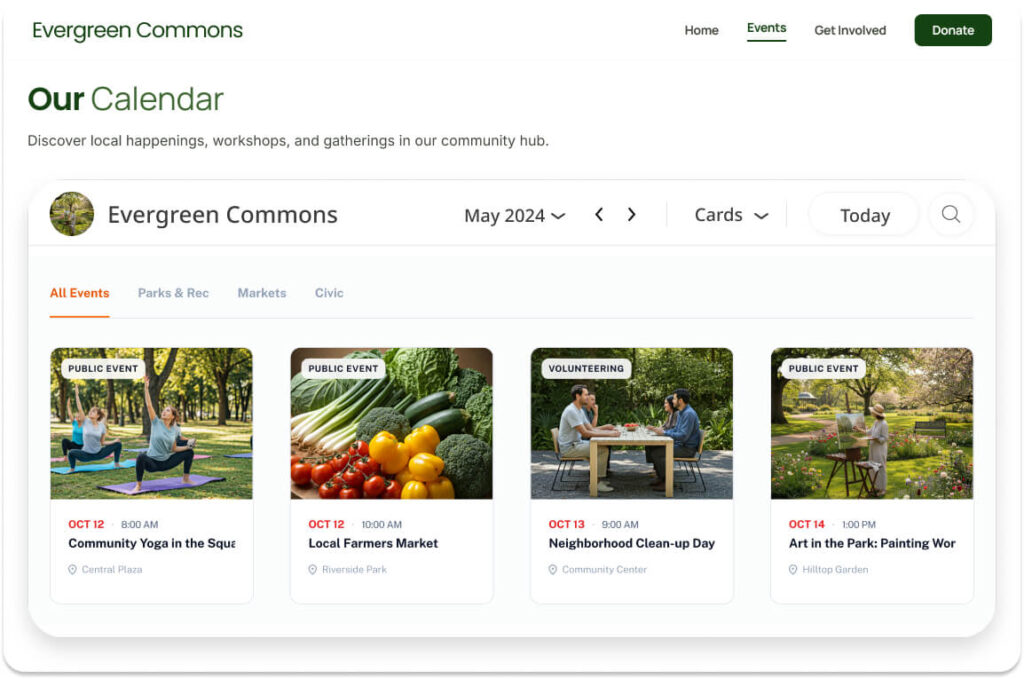
One of the most powerful features of shared calendars is the ability to embed them directly into a webpage. This functionality allows organizations, teams, or communities to display their schedules publicly or privately on their websites, making it easier for others to stay informed about upcoming events or deadlines. Embedding a shared calendar is particularly useful for businesses, schools, or event organizers who want to provide real-time updates to their audience without requiring them to download an app or create an account. By embedding your public calendar, you ensure your audience always has access to your live availability. GroupCal offers advanced custom layout options for website embeds. You can display your schedule in a traditional monthly grid, or use our premium Cards View.
Cards View displays your schedule as a modern, card-based event directory featuring your prominent event cover images, ensuring your calendar seamlessly blends with the visual aesthetic of a high-end web design.
Tools like GroupCal make this process seamless, offering embeddable calendar widgets that sync in real-time with your shared calendar. This feature not only enhances transparency but also improves accessibility, ensuring that your audience can stay up-to-date with just a quick glance at your webpage. Whether it’s for a company’s event schedule, a school’s academic calendar, or a community organization’s activities, embedding a shared calendar is a simple yet effective way to keep everyone on the same page.
Pillar 2: Visual Clarity & Custom Branding
Support for multiple shared calendars
For individuals with multiple commitments, managing several calendars is often a necessity. For instance, a shared family calendar, a shared work calendar, and a personal calendar may all be required. Therefore, a high-quality shared calendar application should be designed to support multiple calendars, allowing users to effortlessly manage and organize different schedules, both private and shared, while avoiding conflicts.
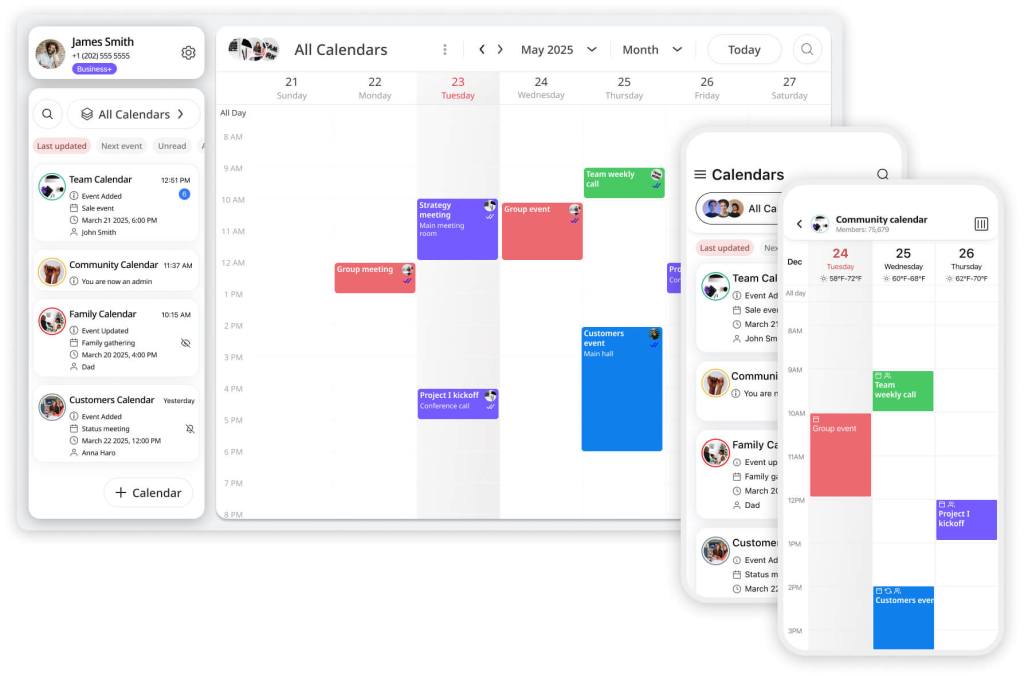
Moreover, the shareable calendar app should display all events from all calendars on the same calendar view, providing the user with a comprehensive overview of their commitments. However, there are cases where users may want to focus on a specific calendar, and the app should also provide this feature.
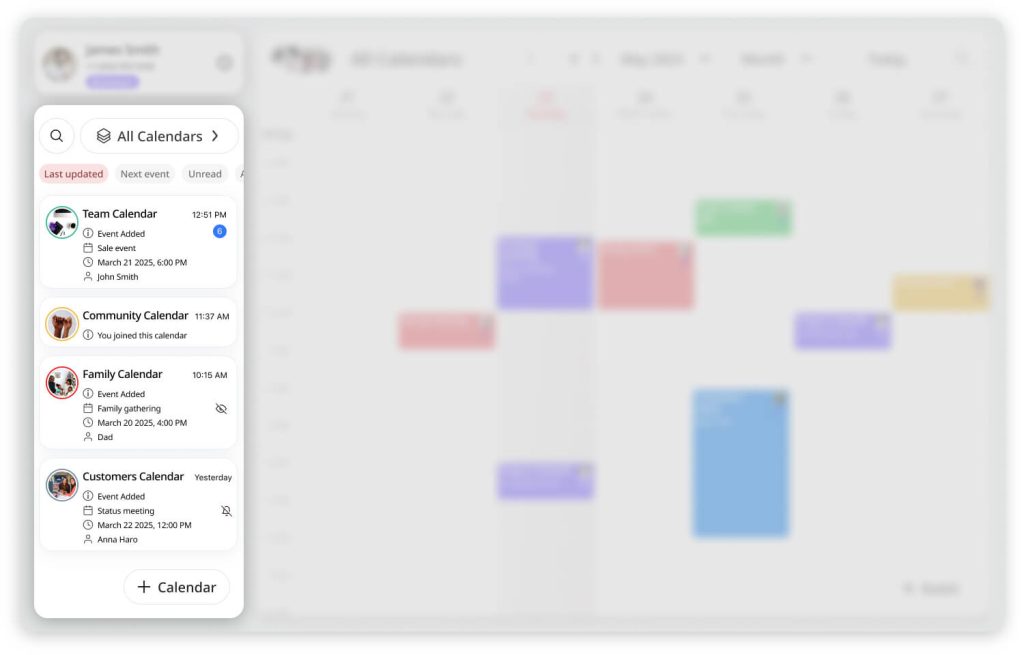
GroupCal enables users to create and manage multiple shared calendars that coexist seamlessly. It features a master view that displays all events from all calendars on a single screen, providing a unified and comprehensive view of one’s schedule. This allows users to efficiently manage multiple calendars and easily keep track of all their events in one place.
Visualization using colors and photos
In a shared calendar, it’s crucial that events are easy to read and interpret, particularly when multiple calendars are displayed simultaneously. One effective way to achieve this is by using colors and photos. For example, a family calendar could use distinct colors to differentiate between various members’ events, while a work calendar could use colors to indicate different types of events, such as meetings, deadlines, or presentations.
Moreover, photos can also be utilized to identify events, allowing users to recognize specific events at a glance. For instance, each shared calendar could have its own photo, and events belonging to that particular calendar will display it.
A high-quality shared calendar app must provide advanced customization to help users prioritize their tasks. Beyond simply assigning colors, GroupCal allows you to add Event Cover Images directly to individual events.
When users switch their display layout to the app’s native Cards View, these cover images act as visual anchors on their main screens. Instead of browsing a dry list of text, members can scan their schedule as an engaging, highly visual event feed, greatly reducing eye strain and improving event recognition.
Advanced Visual Personalization: Event Cover Images & Cards View
A high-quality shared calendar app must provide advanced customization to help users prioritize their tasks. Beyond simply assigning colors, GroupCal allows you to add Event Cover Images directly to individual events.
When users switch their display layout to the app’s native Cards View, these cover images act as visual anchors on their main screens. Instead of browsing a dry list of text, members can scan their schedule as an engaging, highly visual event feed—greatly reducing eye strain and improving event recognition.
Indicating what calendar has updated events
In a shared calendar, it’s important that users can easily track changes to events, ensuring everyone stays up-to-date. One effective way to achieve this is by providing notifications or alerts, similar to how chat apps indicate unread messages.
A high-quality shared calendar app should show users which events have been updated, who made the change, and when the change was made. This level of detail enhances the app’s usability, allowing users to quickly identify and understand what changes have been made.
Additionally, the app should also make it easy for users to view the event’s previous versions and compare the changes, providing a history of the event’s evolution. This feature is particularly useful when multiple users have access to the same calendar, as it allows for a clear understanding of the event’s progression over time.
Overall, a shared calendar app that provides detailed notifications, version history, and comparison tools, ensures that users always have a complete picture of events, enabling them to make informed decisions and avoid scheduling conflicts.
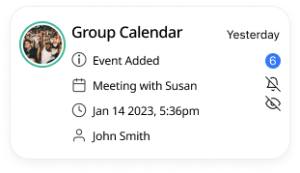
Similar to chat applications, GroupCal organizes the calendars based on the most recent updates. Next to each calendar, users can see the time of the last update, as well as an unread circle indicating the number of updates waiting to be viewed.
Pillar 3: Advanced Governance & Control
Permission management
In a shared calendar, permission management is a critical feature that determines the level of access granted to different members. Depending on the calendar’s purpose, some users may be restricted to read-only access, while others may require permission to modify events. For instance, a university events calendar may allow members to view events only, while a company calendar may permit some users with admin privileges to edit events, while others may have read-only access.
Furthermore, a shared calendar app should offer robust support for admins, enabling them to manage permissions, add or remove members, and make other changes as needed. This feature enhances collaboration and streamlines communication, allowing teams to work together effectively while ensuring that confidential information remains secure.
By providing flexible permission management, a shared calendar app can ensure that the right people have access to the right information at the right time, thereby enhancing productivity, minimizing errors, and fostering trust among team members.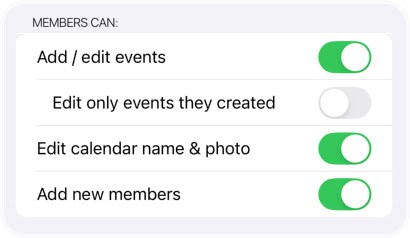
GroupCal boasts sophisticated permission management capabilities that enable users to control members’ actions effectively. This includes the ability to determine which actions members can take, as well as the option to assign calendar-specific administrators with elevated permissions.
Calendar Features
An effective shared calendar should offer users a wide range of calendar features, including various types of views, alerts, notifications, and reminders, to help them manage their schedules more efficiently and avoid missing important events.
For example, a shared calendar app should allow users to switch between different views, such as day, week, month, or year view, depending on their preferences and needs. This flexibility ensures that users can visualize their schedules in the way that works best for them and plan their time more effectively.
Moreover, the app should allow users to set up alerts, notifications, and reminders for upcoming events, helping them stay on top of their schedules and avoid missing important deadlines or appointments. This feature is particularly useful for busy professionals or individuals with hectic schedules, who need reminders to keep them organized and focused.
In addition to these features, a good shared calendar app should also offer other useful tools, such as the ability to search for specific events or create recurring events, enabling users to manage their schedules with ease and efficiency.
By providing users with these essential calendar features, a shared calendar app becomes a powerful tool that streamlines the process of managing schedules, helps users stay organized and on top of their priorities, and enhances their overall productivity and efficiency.
Private Calendar vs. Public Calendars
As mentioned earlier, shared calendars can be either private or public. Private calendars are intended for a specific group of people and are usually password-protected. Examples of private calendars include shared family calendars, shared company calendars, and shared class schedules. Only authorized members can access and view the events on the calendar. Private calendars are ideal for situations where sensitive information is being shared, or where only a select group of people should have access to the calendar.
On the other hand, public calendars are intended for the general public and can be viewed by anyone. Examples of public calendars include event calendars for churches, community centers, and public institutions. These calendars are intended to broadcast public events and are not password-protected. Public calendars are ideal for situations where event information needs to be widely disseminated to a large audience.
GroupCal features two types of calendars: private and channels. Calendar channels are designed to broadcast schedules to a wide audience and can have an unlimited number of members. These channels are searchable within GroupCal, making it easy for users to discover and join channels related to their interests.
Conclusion
In conclusion, a shared calendar is an excellent tool for managing schedules and staying organized. It provides a centralized platform for tracking events, meetings, appointments, and deadlines, and allows multiple people to access and update the same information. With its real-time update feature, support for multiple shared calendars, and permission management capabilities, shared calendars are ideal for families, organizations, and groups of all sizes.
